LISTINGVID JOURNAL
ListingVid vs AutoReel for real estate video
A practical fit comparison for agents deciding between a property-first listing workflow and a general AI-influencer UGC workflow.
The quick answer
Choose ListingVid when the job starts with a property listing URL or approved photos and needs to become a listing video, social cut, narrated tour, or staged property visual. Choose AutoReel when the goal is a presenter-led UGC reel built around an AI influencer, a script, and uploaded product or service footage.
This is not a ranking of two identical tools. ListingVid is designed around property marketing, while AutoReel describes a broader AI-influencer and UGC workflow for promoting products, services, and educational content.
A listing-first workflow versus an AI-influencer workflow
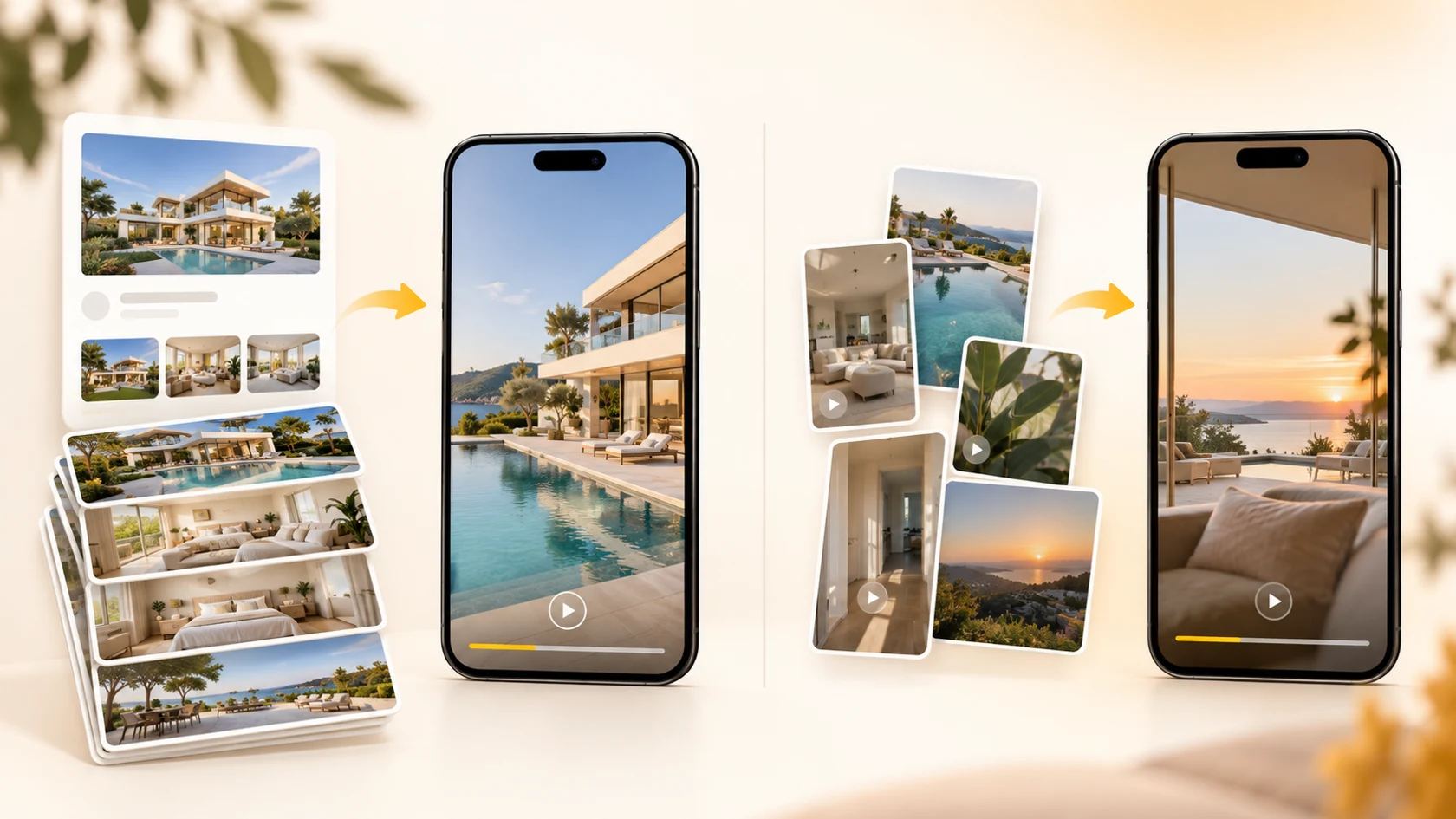
ListingVid begins with material an agent already controls: a supported listing URL, the approved photo set, property facts, and agency branding. The workflow keeps the home at the center while adding room order, voiceover, captions, music, and the vertical, square, or horizontal format required by the channel.
AutoReel’s official product pages describe a different starting point: choose an AI influencer, edit the script and visuals, upload product or service footage, then trim and reorder clips. Its public pages do not describe listing URL ingestion, property-portal connections, or a real-estate-specific photo workflow.
What each product emphasizes
ListingVid connects video generation with property-image work such as virtual staging, vacancy, lighting, twilight, and enhancement. That matters when one listing must become several accurate marketing assets without moving between unrelated tools.
AutoReel emphasizes AI influencers, customizable captions, a centralized media library, drag-and-drop clip editing, and ready-to-share UGC video. Its features page currently labels scenes, scheduling, and hook generation as coming soon, so teams should distinguish available capabilities from the published roadmap when testing it.
How a real estate team should test both
Use one approved listing and define the same deliverable before testing: for example, a vertical launch Reel with readable captions and a clear next step. Compare source preparation, time to a reviewable cut, factual accuracy, room sequence, narration, brand consistency, and the work required to make other aspect ratios.
If the campaign needs a virtual presenter explaining the service or the agency, AutoReel’s UGC approach may be the more relevant experiment. If the recurring job is turning each property listing into a tour and related visual assets, test ListingVid’s URL and photo paths. Product capabilities and plan limits change, so confirm purchase-critical details on each provider’s current site.
ListingVid and AutoReel workflow comparison
This table compares ListingVid’s property-focused workflow with AutoReel’s current official product pages. It is a fit comparison, not a ranking.
| Decision point | ListingVid | AutoReel |
|---|---|---|
| Primary starting point | Supported property URL or approved listing photos | AI influencer, script, and uploaded product or service footage |
| Core emphasis | Turn a property listing into video and related visual assets | Create presenter-led AI UGC for products, services, and brand campaigns |
| Story and editing controls | Property facts, room order, voiceover, captions, music, branding, and output format | Influencer script and visuals, clip length and order, media library, and drag-and-drop editing |
| Property-image workflow | Virtual staging, vacancy, lighting, twilight, and enhancement tools | A property-specific image workflow is not described on the public product pages reviewed |
| Social output | Vertical, square, and horizontal property-video formats | Ready-to-share UGC video for social channels; confirm the formats needed by your team |
| Published plan detail | Review current ListingVid plans for your listing volume | Basic, Pro, and Enterprise monthly plans list video and avatar allowances; several additional features are marked soon |
| Best fit to test | Repeatable listing-to-video and property-visual production | AI-presenter UGC campaigns for a product, service, or agency brand |
FAQ
Questions agents ask before choosing
Is ListingVid an AutoReel alternative for real estate?
It can be, when the required outcome is social video. The workflows differ: ListingVid is designed around property URLs, listing photos, narration, branding, social formats, and property-image tools. AutoReel’s public materials describe a general AI-influencer and UGC workflow.
Which tool starts from a property listing URL?
ListingVid supports a property-first workflow that can begin with a supported listing URL or approved photos. AutoReel’s public workflow describes selecting an AI influencer and adding uploaded footage; its reviewed pages do not describe listing URL ingestion.
Which tool is suited to turning property photos into video?
ListingVid is purpose-built for turning listing photos into property video and related visuals. AutoReel accepts uploaded pictures or short clips as part of a UGC reel, but its public product pages do not present a real-estate-specific photo-tour workflow.
Can both tools make content for social media?
Yes, but with different creative models. ListingVid creates property-focused video in vertical, square, and horizontal formats. AutoReel creates AI-influencer UGC for social channels and lets users edit captions, footage, clip order, music, and voiceover.
How should an agency choose between ListingVid and AutoReel?
Test the campaign you repeat most often. Use ListingVid for a listing-led property tour and AutoReel for an AI-presenter agency or service reel. Compare preparation time, accuracy, brand control, output formats, and the current plan limits that apply to your publishing volume.
Product sources reviewed
Product capabilities change. These official sources were reviewed for this comparison:
Test the property-first workflow on your next listing.
Start with a listing URL or the photos your team already approved, then create a reviewable property video for the channels you use.